
Student Required Training
Please be sure you have completed all three parts of the training (two modules and a test) by February 22 or a registration hold will be placed on your account, preventing the ability to register for spring classes. A completed course will have a green check mark by each of the training components.
After February 22, if you have a hold on your registration related to the Student Required Training, please read the following carefully.
Before you proceed, ensure you have a hold associated with this training You may check this by logging into Howdy. Click on the Registration Readiness icon where you will see any holds that you have.
If you have a Student Required Training hold, the following will be listed:
| Hold Type | From Date | To Date | Amount | Reason | Originator | Processes Affected |
|---|---|---|---|---|---|---|
| Student Required Training | Feb 23, 2026 | Dec 31, 2099 |
|
Call 979.845.0281 for info. | Student Life | Registration |
If you do not see the above on your hold screen in Howdy, your hold is not active. This means the training is not blocking your registration. You might look to other holds listed.
Verified Hold
If you have verified that you have a Student Required Training hold:
If you have not completed the training, you may do so by going to Canvas. If you are unsure whether you have completed the training, you may find out by reviewing the Student Required Training course in Canvas.
Below is an example of a completed course.
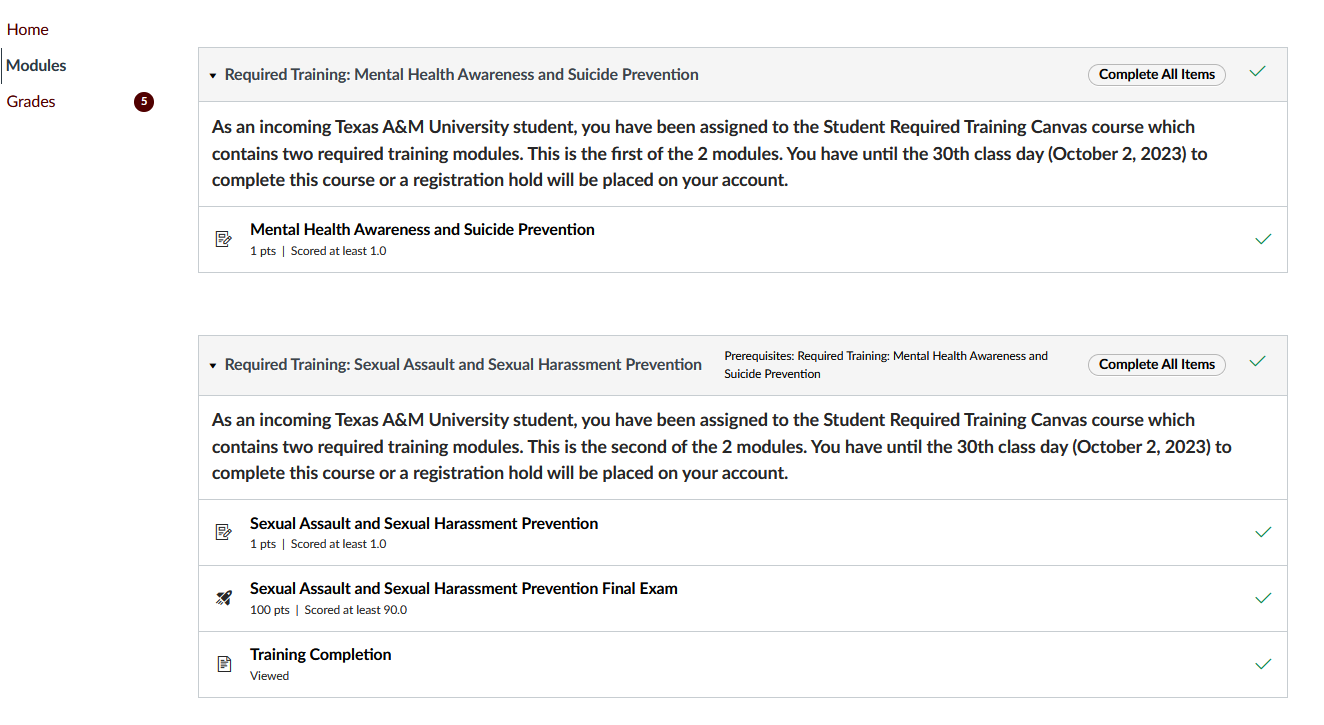
If you attempt to submit a screenshot of the information below as evidence of your completion of the training, you may be charged with a violation of the Texas A&M University student rule for dishonesty.
If ANY of these sections are not completed, your hold will not be removed. You must finish all portions of the training.
"*" indicates required fields
Technical Assistance
Canvas Support is available 24 hours a day, 7 days a week, 365 days a year via Chat, Phone or Email. Additional technical support is available through Help Desk Central
Chat: Canvas Support Chat available 24/7/365
Phone: 877.354.4821 available 24/7/365
Email: Select Report a Problem from within Canvas
Use your official TAMU email: [email protected] available 24/7/365
Frequently Asked Questions
The gradebook should update within 24 hours. If you are still having issues after 24 hours, please contact our office.
Yes, you may login and logout of the training. When you log back into the training, you will be able to resume where you left off. You will also be able to go back and review any content you have accessed previously.
Issues have been reported when using the Canvas app on mobile devices causing delays with screen refreshing that may prevent the user from advancing between modules and assignments.
In the event this happens, the user must exit and restart the Canvas app to cause a refresh of the Canvas app to continue.
The vendor recommends using a browser on mobile devices rather than the Canvas app to prevent the issue.
Yes, all students are required to complete this training.
Yes, all students are required to complete this training.
Yes all students are required to complete this training.
Yes, all students are required to complete this training.
Yes, all students are required to complete this training.
"*" indicates required fields